HQbird Replication
Native master-slave replication in HQbird Enterprise: DML and DDL, no triggers, unique or primary keys on replicated tables. 100% Firebird 2.5-5.0 compatible - switch binaries without backup/restore. One license covers one master and one replica; extra replicas are sold separately.
Asynchronous vs synchronous
Async is usually the right production choice.
Asynchronous (recommended)
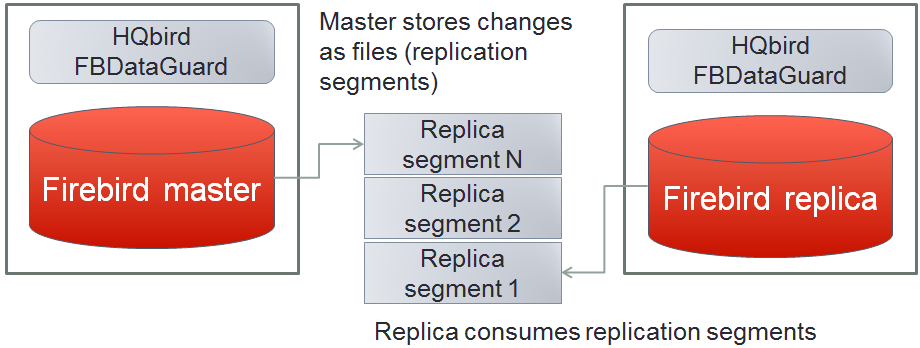
Master journals committed changes into segment files; replicas pull and apply them in the background. Default flush is 90 seconds (often set to 15-30). Replica can be recreated online; no master stop to start. Fine for cloud or high-latency links. Delay can grow under heavy load.
Synchronous
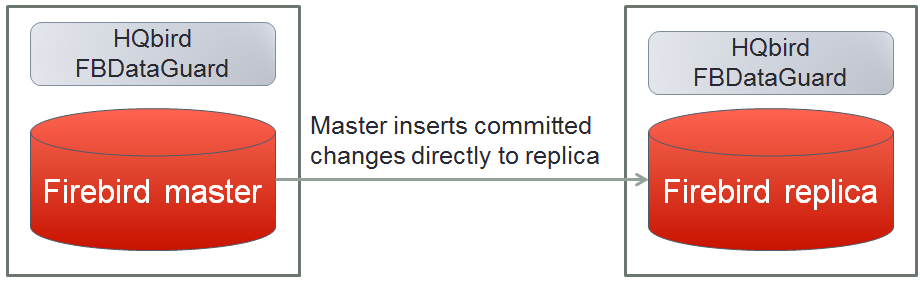
Master writes committed changes straight to replica(s). Delay ~1-2 seconds; needs a stable ~1 Gbps path. Replica is read-only (with caveats). Recreating a replica requires stopping the master. Use for custom failover (3+ nodes), offloading reads, or mixed with async.
Installation
Install HQbird Server with Firebird on master and replica. Windows: HQbirdServer2024.exe (2.5-5.0). Admin tools are optional for replication. Linux: installation guide. Register with a trial or full license. User Guide §2 covers server setup.
Firebird 2.5: HQbird installs SuperClassic. If the database header has a large page-buffer count, performance can suffer. Set buffers to 0 so firebird.conf wins:
gfix -buff 0 -user SYSDBA -pass masterkey disk:\path\database.fdbSteps - asynchronous replication
- Configure the database as master.
- Create a replica file (
nbackupor “Reinitialize replica database”). - Configure the replica server.
Step 1 - Master
Open http://127.0.0.1:8082 (port is configurable). Login admin / strong password. Confirm the Active server widget shows Firebird 2.5/3.0/4.0/5.0 HQbird.

Add database: nickname plus file path, not an alias - aliases do not replicate.
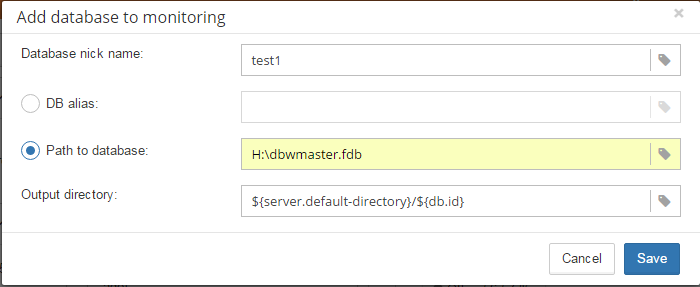
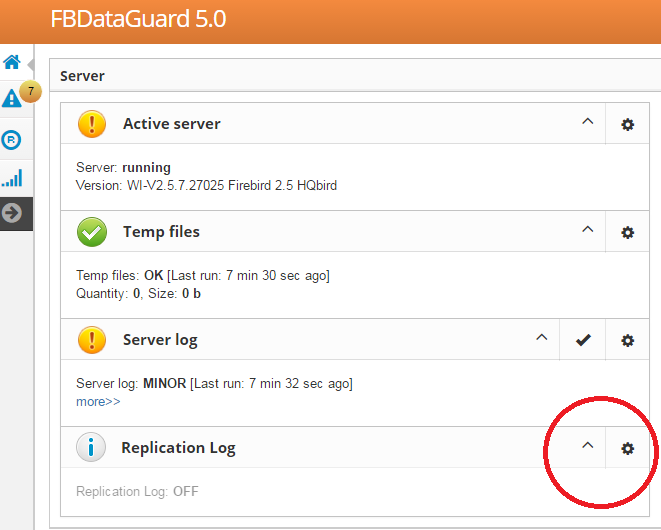
Open replication from the database header icon. Choose Master → Asynchronous → Save. Restart Firebird (or all Classic connections) so parameters load on first connect.
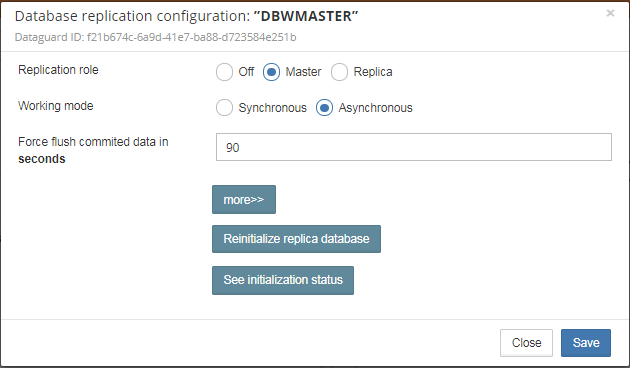
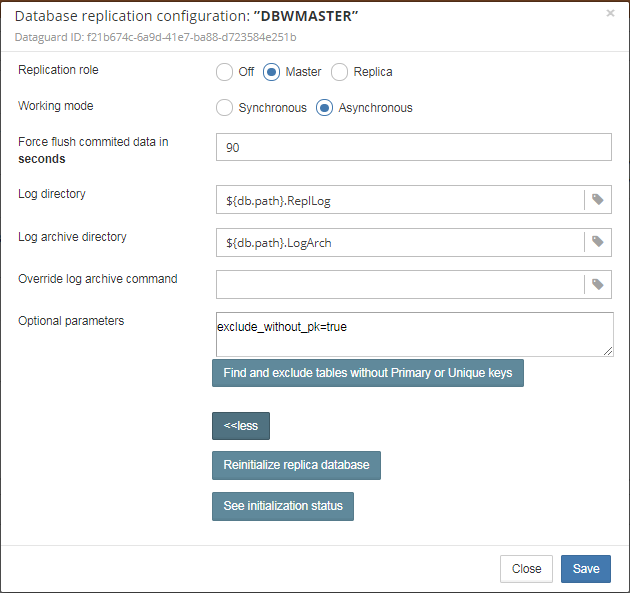
- Log directory - operational segments, default
${db.default-directory}\ReplicationLog. Engine-managed; leave it. - Log archive directory - archived segments, default
${db.path}.LogArchnext to the database. - Override log archive command - leave empty.
- Force flush committed data - default 90 seconds.
You should see rotating files in the log directory immediately after writes, then archived segments after commit/timeout. Do not touch operational segments. Copying archives to the replica: network share or FTP/SSH.

Step 2 - Initial replica file
From HQbird 2018 R2, Reinitialize replica database builds a copy beside the master, named like employee30.fdb.17-Apr-2018_142507.4replica. Or use nbackup without stopping the master.
Step 3 - Replica server
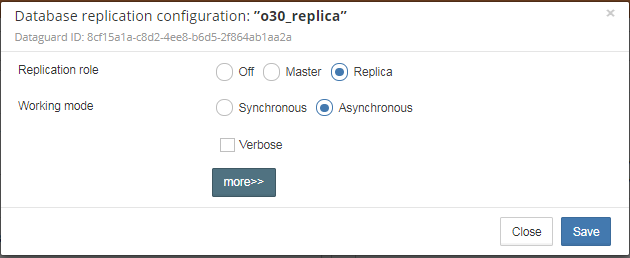
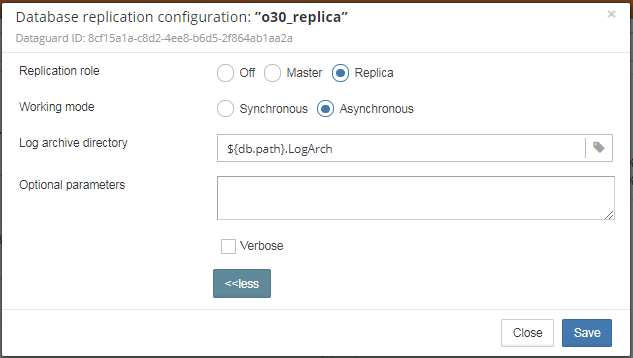
Register the replica in FBDataGuard after it has a replica GUID. The required setting is the folder of archived segments. Save and restart Firebird. Defaults import from a folder next to the replica; processed segments are deleted. Do not mix archives from different databases in one folder.
Steps - synchronous replication
- Stop Firebird.
- Copy the master file, switch it to replica mode, copy to replica server(s).
- Configure replica server(s) in FBDataGuard.
- Start replica(s) before the master.
- Configure master, then start master.
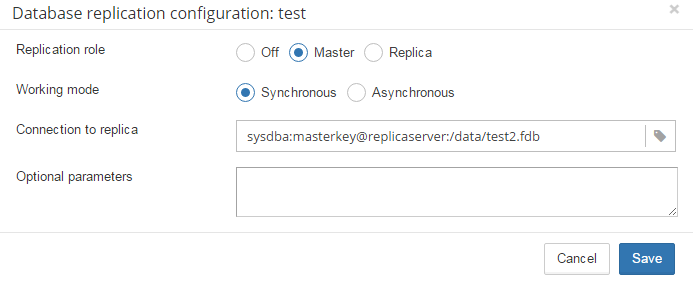
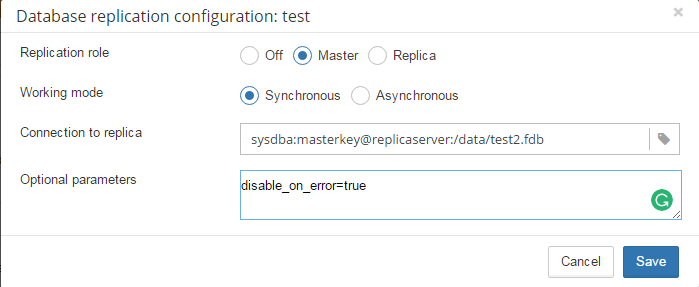
More downtime than async: the replica must be online before the master starts. Example remote replica: server replicaserver, path /data/test2.fdb. On the replica, gfix -replica {master-guid} is enough besides that copy.
Testing on a production system
Set disable_on_error to true so a replication error turns replication off and the master keeps serving. Re-init from a clean log after you fix the error. Enable the Replication log job in FBDataGuard for errors and warnings.
Create a replica copy with nbackup
Works online for async (and extra replicas) without stopping the master. Or stop Firebird and copy the file.
nbackup -l database_path_name -user SYSDBA -pass masterkey
copy database_path_name replica_path_name
nbackup -n database_path_name -user SYSDBA -pass masterkey
nbackup -f replica_path_name
gfix replica_path_name -replica {DATABASEGUID} -user SYSDBA -pass masterkey
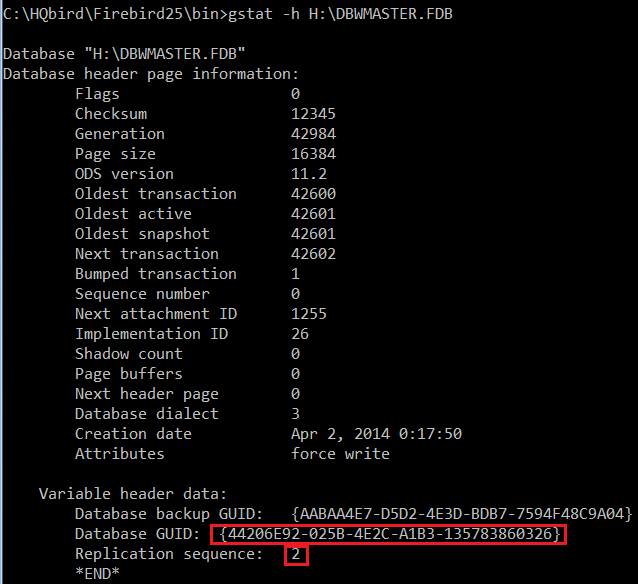
DATABASEGUID is the master’s unique id from gstat -h. If it is missing, connect once with HQbird’s Firebird binaries and run gstat -h again.
gfix disk:\path\mydatabase.fdb -replica {guid} -user SYSDBA -pass masterkey
gfix disk:\path\mydatabase.fdb -replica {} -user SYSDBA -pass masterkey
Empty {} returns the file to normal (read-write) mode. On a replica you may run read-only work (SELECT); do not change data or metadata.