Encryption without changes in the application
Encryption without changes in the application
You have the program, but not its source code. Or the developer does not change it. Version v2027R1 encrypts its database anyway: the program files stay the same.
- 0 changes in the application
- 1 small library, or 1 line of configuration
- Firebird 5.0 · 4.0 · 3.0
- Network and embedded connections
- 1The application connectsas usual; it knows nothing about encryption
- 2The server asks for the keythe database header has the key name
- 3fbclient loads KeyHolderone line in
firebird.confnear the client library - 4KeyHolder calls MakeKeysone function in your
KeySource.dll - 5The key goes to the serverin encrypted form, at each connection
- 6✓ The database is openthe application works as before
4 ways to encrypt the database of an application without source code changes
Encrypt database for closed-source applications
You put the library KeySource.dll on the workstation near fbclient.dll, usually in the folder of the application. The client plugin KeyHolder finds it and calls one function, MakeKeys. The function returns the key as text. That is all.
What the function does is your decision. The example has four ready libraries with source code, and templates for C++, Delphi and Lazarus. On Linux the library is libKeySource.so. You do not put the library on the server: the server keeps no key.
What you add to the workstation
MyApp.exe               the application, not changed
fbclient.dll            client library from the plugin package or HQbird
firebird.conf           KeyHolderPlugin = KeyHolder
KeySource.dll           your library with the function MakeKeys
plugins\keyholder.dll   client plugin
The server needs the plugins, the license file and the same line KeyHolderPlugin = KeyHolder. It needs no file with keys.
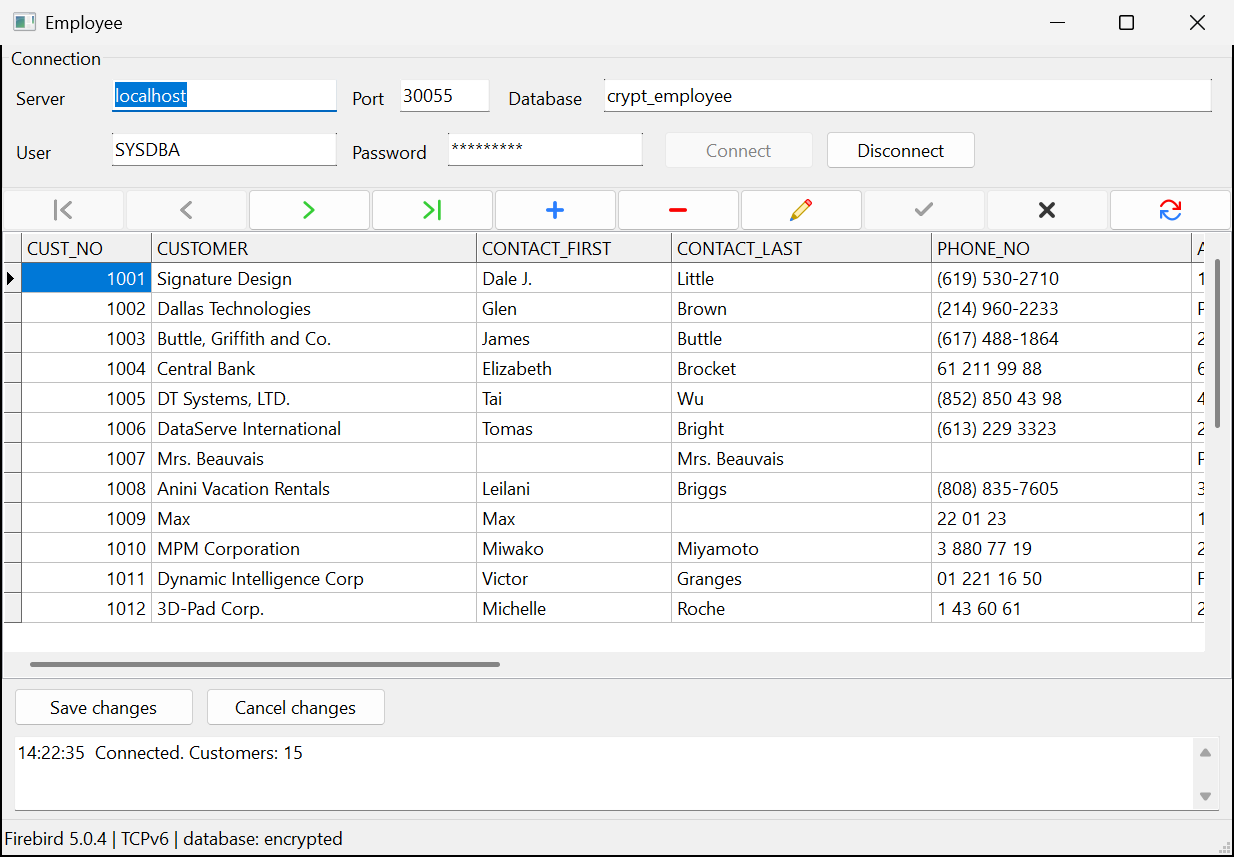
database: encrypted. The application code has no line about encryption.Built-in dialog
No library at all: the plugin asks for the key
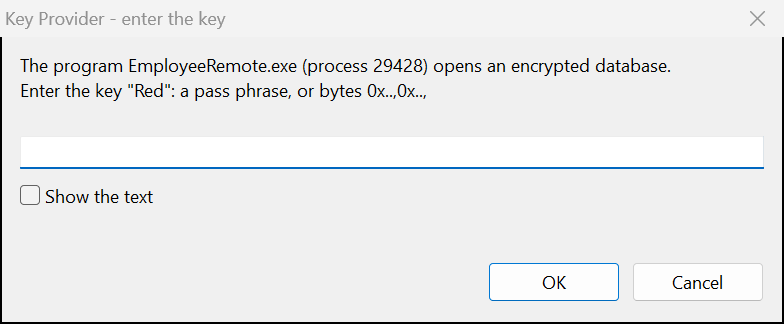
Add one line to plugins\KeyHolder.conf on the workstation. When the application connects, the plugin shows its own window, and the user types the key or the pass phrase.
Prompt = Enter key %k for database %d
%k is the key name and %d is the database name. The user can type a key in hexadecimal form or any other text: the plugin takes other text as a pass phrase.
After a wrong key, the window shows the error and waits 5 seconds before the next try. This slows down an attack by key guessing. On Linux, the plugin asks in the terminal.
The dialog is for network connections of desktop programs. A service or a scheduled job has no person to type the key: use KeySource.dll for them.
Pass phrase
A pass phrase instead of a key
A key is 32 random bytes. A person cannot remember it. A pass phrase is easy to remember, and it is not written on any disk. The plugin calculates the key from the phrase each time.
A phrase works in the built-in dialog, in the tray program of the example, and in the configuration line Password=. The key is only as strong as the phrase, so use a long phrase.
Encrypt with a phrase: one command of the example
PS> .\run-all.ps1 -Version 5 -AskPassphrase
Pass phrase of the database: ************************
The script checks the phrase before it encrypts the database. It refuses the characters that the configuration reader changes: ", #, {, } and $(.
Verified
Tested in 42 combinations
We ran the example application in each combination: Firebird 3.0, 4.0 and 5.0; network and embedded connection; four key sources; a key and a pass phrase. The application connects, changes a row, connects again and reads it.
42 combinations pass
24 with a key, 18 with pass phrases, including phrases with spaces and national letters.
Connections in sequence
And 8 threads with 125 connections each, for each key source. No errors.
Encrypted backup and test restore
gbak backup with the same key source, check of the file, restore into an encrypted database.
The example installs a separate test server and does not touch your Firebird. It downloads the official Firebird and the plugin package with a trial license.
PS> git clone https://github.com/IBSurgeon/FirebirdEncryptionGuide
PS> cd FirebirdEncryptionGuide\examples\closed-gui\deploy
PS> .\05-download-example.ps1          # ready programs of the example
PS> .\run-all.ps1 -Version 5           # server, encrypted database, workstation folder
PS> ..\work\fb5\remote\EmployeeRemote.exe
PS> .\50-backup.ps1 -Version 5         # encrypted backup and a test restore
- 1DownloadFirebird, the plugin package, the example programs
- 2Installa separate server on its own port
- 3Encrypta copy of the
employeedatabase - 4Deploythe workstation folder with
KeySource.dll - 5✓ Connectthe application opens the encrypted database
Deployment
Five rules for your own application
- The same bitnessClient files and
KeySource.dllhave the bitness of the application, not of Windows. - The client library from the packageReplace the
fbclient.dllorgds32.dllof the application with the library from the plugin package or from HQbird. - No KeySource.dll on the serverThe server plugin calls it too, and then the key is on the server.
- No FIREBIRD variable on the workstationWith this variable the client looks for its files in another folder.
- One package for clients and serverClient and server libraries from different packages cannot exchange the key.
- Everybody needs the keyReports, services and backup jobs connect too. Give each of them a key source.
If you have HQbird, you do not download or copy the plugin: the server plugins are in the Firebird folder, and the client files are in the folder ClientLibs.